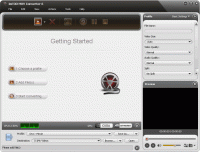
A powerful tool that can convert Quick Time MOV files to various video and audio formats including MPEG, AAC, AVI, DivX, MP3, WAV, WMA and WMV. It offers the Wizard mode guiding the conversion and the Advanced mode with variable settings.
ImTOO MOV Converter is a powerful tool that can convert Quick Time MOV files to various video and audio formats including MPEG, AAC, AVI, DivX, MP3, WAV, WMA and WMV.
What?s more, it offers capturing pictures from video, and it supports batch conversions to process multiple files at once.
New features:
1. Makes the built-in player resizable (Switch the zoom mode between 4:3 and 16:9)
2. Offers the function of power management
Features:
1. Control the number of processed cores at any time during conversion.
2. CBR/VBR output format can be selected freely for certain profiles.
3. Volume control is supported.
4. All properties and settings are displayed in the new interface and you can easily finish converting a file within a few clicks.
5. All encoders/codes are built-in and you can convert all supported formats once downloading the software.
6. It supports batch conversion and multi-threading CPU, thus the more files you convert within one time, the faster speed it offers than other converters.
7. Settings for overwrite function is offered
8. Output files can be renamed and the output path can be easily modified.
9. Zoom and split functions are provided
10. It supports preview can convert any clip or segment or chapters at your will.
11. Not only support general video/audio settings, but also provide advanced settings for meeting various users' demand. For example, you can customize the size of output file and its Bitrate will be calculated automatically.
12. In addition to abundant corresponding profiles for your digital devices, the MOV converter also supports setting several profiles for the same video.
13. Support running in background and lower the priority automatically. Whats new in version 6.6.0.0623: CBR/VBR output format can be selected freely for certain profiles. Control the number of processed cores at any time during conversion. Requirements: 1GHz Intel/AMD processor or above; 256MB RAM; 100MB space for installation Operating system: Win7 x32,Win7 x64,WinVista,WinVista x64,WinXP Release notes: Major Update
DVD Catalyst rips your DVD movies fast and easy to PSP iPod iPhone Zen Zune Cowon Nokia Motorola Blackberry Omnia HTC and more. Also converts video files, and supports Batch, Black bar removal, new free booster pack available on our website
Price: $24.95, Rating: 10, Downloads: 184 Download
Copy your DVD movies without losing quality. You can make backup copies of your DVD movies and watch it on your DVD Player! With its superior kernel, DVD XCopy Deluxe can backup your entire DVD movie.
Price: $59.95, Rating: 7, Downloads: 174 Download
Watch video On Demand from around the globe while surfing the Web. Browse from over 1.7 Million Videos from 100?s of Categories. Watch video as you surf the web (Word-processing, Email etc). 1000?s of videos Searched Daily.
Price: $, Rating: 9, Downloads: 163 Download
User Rating
Rating:2.2 out of
5 Based on13 ratings.
13 user reviews.

 ImTOO MOV Converter 6.6.0.0623 details